
Click the button above to pay your bill online.
We have upgraded our utility billing software used to service sewer/trash customers and you will soon receive your first bill from MuniBilling. On your first bill, you will receive information on how to connect to the new customer portal. You will be provided with the customer portal URL and a unique access code to set up your account.
On the customer portal, you will be able to:
- Make a one-time payment
- Set up autopay
- Review your bill and payment history
Payments can be made by credit/debit card or e-check.
Instructions to Set Up Customer Account:
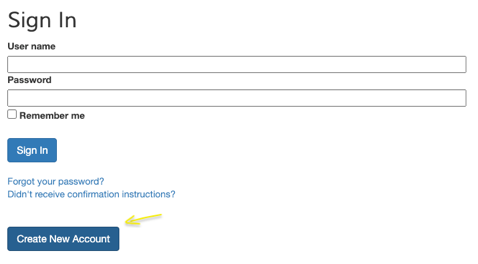
Customer Portal: to create an account, go to the URL on your utility bill and click Create New Account.
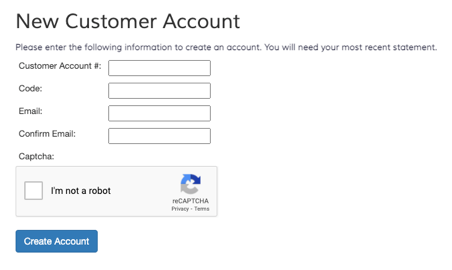
Fill in New Customer Account: enter your Account #, unique access Code and Email address, then click “Create Account”.
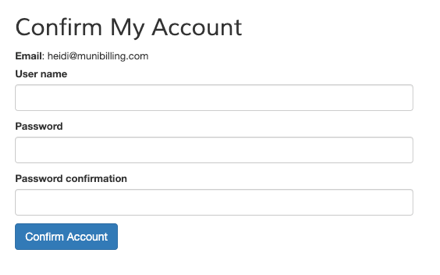
Confirm My Account: An email will be sent with a link – click the link to confirm your account. From this link, you will be prompted to “Confirm My Account” by entering your username and password. (Make sure to check your email’s spam or junk folder if you do not receive the confirmation email.)
If you have any questions regarding your bill, please call (717) 872-4645 or email millersville@millersvilleborough.org.
